RTP-MIDI setup
RTP-MIDI carries MIDI over your local network. FrenschPress can accept connections or connect to saved participants itself. MIDI travels in both directions in either role; the role determines who starts the connection.
Enable it
In Settings → RTP-MIDI, enable Enable RTP-MIDI and choose Save Settings. The session name follows the device name. Sessions & status opens connection settings and live status.
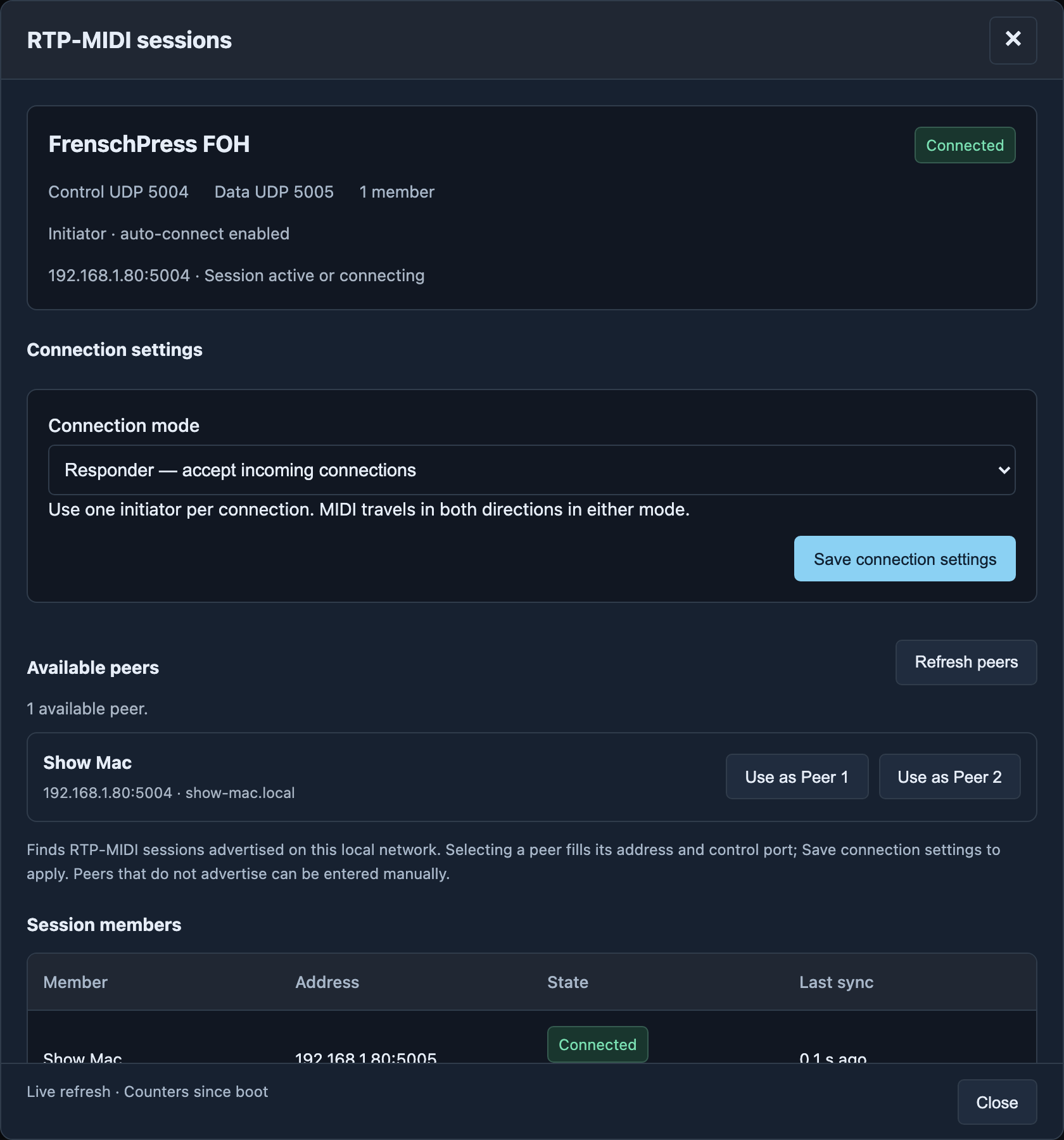
Connection mode
| Connection mode | Use it when |
|---|---|
| Responder — accept incoming connections | The computer or MIDI router will connect to FrenschPress |
| Initiator — auto-connect to saved peers | FrenschPress should establish the connection and reconnect after restarting or network loss |
Use one initiator per connection. For initiator mode, enter up to two peers, each with an IPv4 address and Control port. The usual control port is 5004; the data port is one higher. Use the destination's configured values and fixed addresses or DHCP reservations.
Available peers → Refresh peers finds advertised RTP-MIDI participants. Selecting one fills its address and port. Enter non-advertising devices manually. Apply these settings with Save connection settings. The second peer is optional.
Connect from a computer
In responder mode on a Mac, open Audio MIDI Setup → MIDI Network and connect the discovered FrenschPress to your session. On Windows, a configured RTP-MIDI application can establish the connection. Then select the appropriate MIDI input/output in your show software.
Reading status
| Display | Meaning |
|---|---|
| Disabled | Network MIDI is off |
| Waiting for a connection | Service is running with no connected participant yet |
| Connected | At least one participant is connected |
| Session members | Participant name, address, connection state and last synchronisation |
| Traffic & diagnostics | Sent packets and error counters since boot |
The display refreshes while the dialog is open. A sent packet confirms that it was handed to the local network interface; check the destination to confirm the intended cue ran.
Troubleshooting
Check the address, control port and network. Peers must be reachable; discovery is limited to the local network. An empty discovery list does not prevent manual setup. In initiator mode, check that the destination accepts connections. For repeated dropouts, also check cables, switches and WiFi signal.