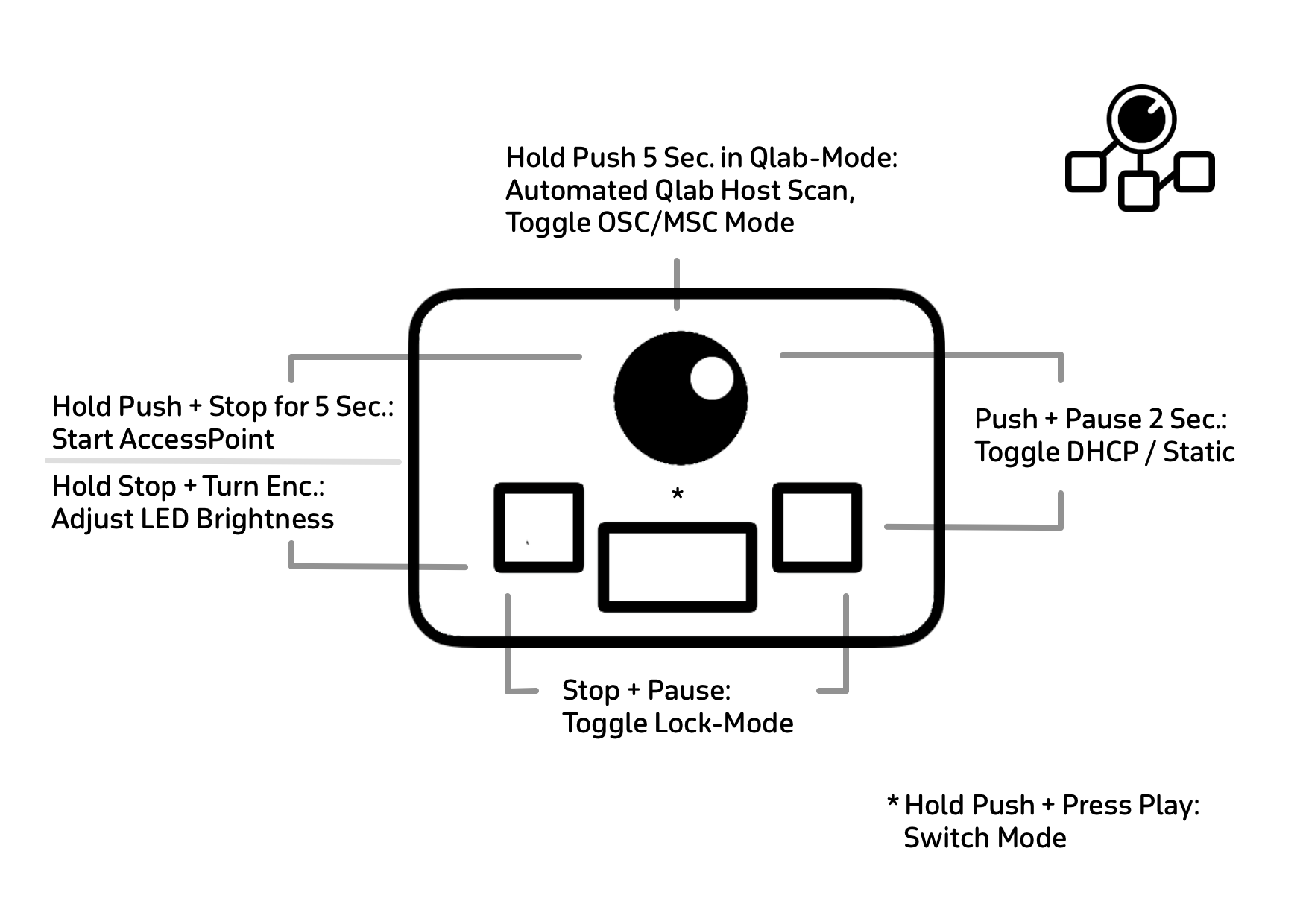
Change Mode: Press and hold the encoder + tap GO → switches between QLab Mode and Custom Mode.
QLab Host Scan:Hold the encoder for 5 seconds → starts scan. This also toggles between OSC and MSC (MIDI) mode.
Brightness: Hold STOP + turn the encoder → adjust LED brightness.
DHCP / Static IP: Hold Encoder + PAUSE for 2 seconds → switches between DHCP and static IP (LEDs flash green).
Lock / Unlock: Hold STOP + press PAUSE → toggles lock mode. The LEDs pulse to indicate that lock mode is active. When enabled, the buttons are locked to prevent unintended use.
Factory Reset: Hold all three buttons during boot for approx. 10 seconds → LEDs change from blue to red, start blinking, and confirm with green blinking at the end → device is reset to factory settings.
Open Access Point: Hold Encoder Push + STOP for 5 seconds.

No comments to display
No comments to display